Business & Management / Software & Digitalisation
Excel or flower-shop software? Comparing organisation, costs and limitations
A practical comparison of spreadsheets and dedicated flower-shop software. Product functions, packages and availability reflect the dated source review and must be checked against the current offer before purchase.

Excel can be a good choice for a flower shop that keeps its orders in a clear spreadsheet, updates it consistently and does not waste time moving information between people. A dedicated software becomes relevant when the same order has to go through takeover, production, payment and delivery, and the team needs joint responsibilities and stages.
The correct comparison starts with the way you work. The number of orders matters, but it also matters how many people manage them, how many changes occur and how many times the same information has to be entered. In this guide we compare an order spreadsheet with ProFlorist, Florist Management Program.
What Excel can already do for a flower shop
A spreadsheet may contain the order number, the product, the customer, the consignee, the date, the period, the price and the delivery status. You can calculate totals, filter orders after days and use lists of values to avoid different scripts of the same status. For planning and calculations that you often change, flexibility is an advantage.
Excel also allows collaboration. In compatible configurations, a file shared through OneDrive or SharePoint can be edited by several people. This possibility should not be confused with sending different copies by email. The conditions are explained in Microsoft documentation about working simultaneously in the same register.
There is also a history of the versions, as well as the function of Show Changes for certain changes. It has conditions and limits; for example, not all formatting changes or objects are displayed in the panel. Therefore, the claim “Excel has no history ‘would be wrong. See Microsoft explanations about Show Changes.
Where dedicated flower-shop software begins to differ
In a spreadsheet, the team shall determine what each column means, who updates it and what the next person does. You can build rules, automation and links to other instruments, but they must be designed and maintained. A highly customized file can solve many problems; the evaluation should be done on the file actually used.
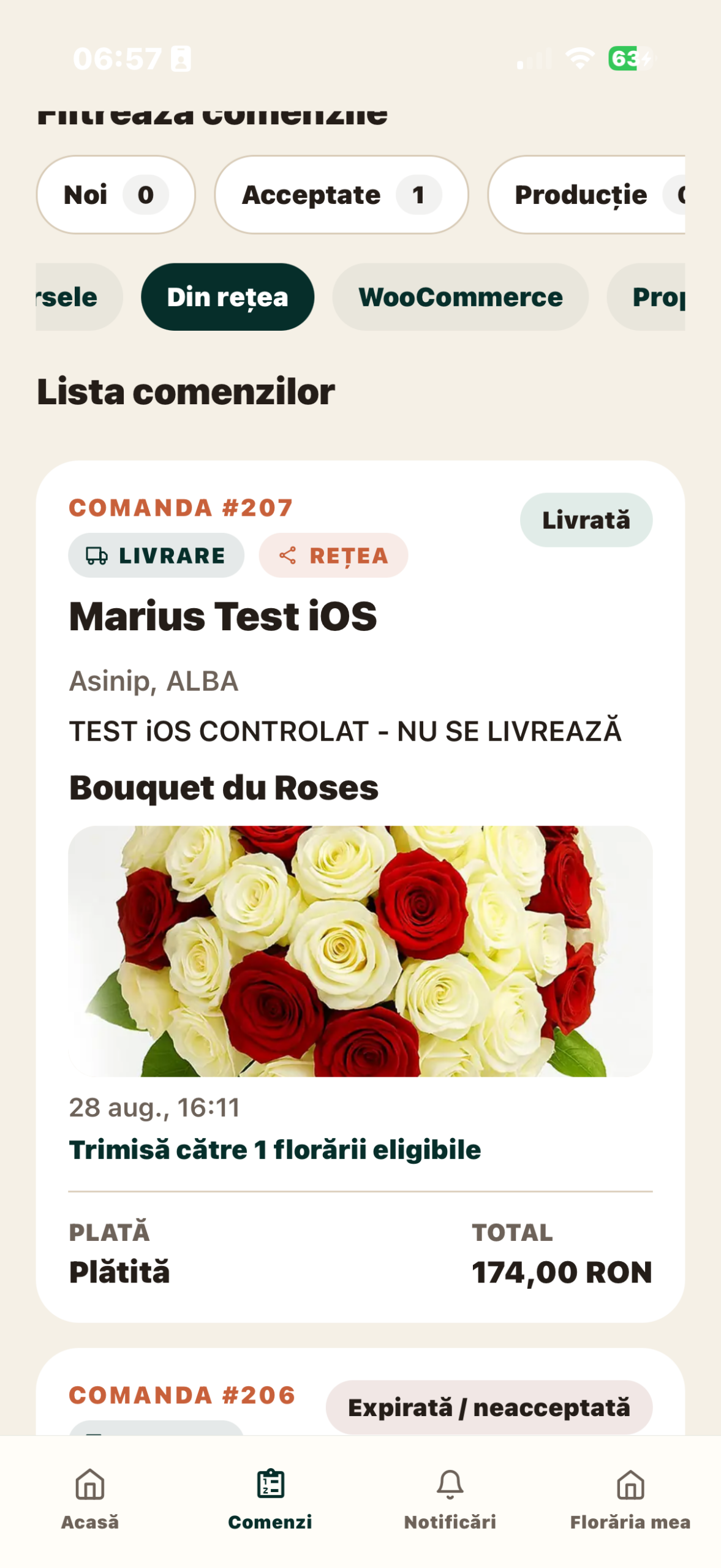
ProFlorist organises order in screens and dedicated stages. The list of controls can be filtered by state and source and the detail retains the information about the product, surrender and payment. The creation of own orders is not yet launched in the verified mobile version for this guide. Additional production and integration depends on subscription and configuration, according to presentation of functionalities.
On the phone, slide the spreadsheet to the left to see all the columns.
| Activity | Organised Excel Spreadsheet | ProFlorist |
|---|---|---|
| Taking over an order | Complete the row and fields set by the team. | Check active sources; the order creation form is not yet released. |
| Working more people | Simultaneous sharing and editing in compatible configurations. | Access to application flows according to role and account. |
| Control steps | Columns and rules that you define and maintain. | States and actions dedicated to controls, with differences in flows. |
| Production in the workshop | You can build a sheet of tasks, recipes and responsibilities. | Production mode available starting with Growth. |
| Photography of the produced product | Image or link to the file, organised by the team. | Witness photo associated with control flow. |
| Orders from WooCommerce | Import, export or automation configured separately. | Included integration starting with Regional, for compatible and configured shops. |
| Custom calculations | Forms and patterns that you adapt freely. | Information and tools defined by the application; check the required reports separately. |
The spreadsheet compares ways of working, not guaranteed results. A purchased subscription does not automatically remove incomplete data, unlisted products or the lack of a team working rule.
Compare the same order with the same information
Use a demonstration example: a catalogue bouquet, afternoon delivery, different customer from the recipient and a message on the card. Follow the administration time in the spreadsheet and in the flows already available in the application. Do not time an unlaunched function and do not assign savings to the application that you did not measure. Check if the person in the workshop can find the information without further explanation.
Then change the delivery range in the valuation scenario. Who sees the change? Where does the current value remain? If the change was discussed on the phone, who’s recording it? The purpose of the test is to observe the entire information route, not just the speed at which the first screen is completed.
If most of your orders come by phone or WhatsApp, the availability of them in the software is an essential criterion. Since the own order form is not yet released in the verified mobile version, you cannot today consider this flow a proven replacement of the spreadsheet. For a WooCommerce store, it tests active integration separately and avoids extrapolation to other channels.
How do you calculate the total cost
Separate actual expenditure from the value of time consumed. For Excel, take into account the additional licences or services required for the team, if not already available, plus the construction and maintenance time of the spreadsheet. For a dedicated software, add subscription, configuration, training, possible third party equipment and services.
Use two calculations:
- Budget paid: subscriptions and services + configuration + equipment + other contractual costs.
- Administrative time: number of orders × minutes per order to be operated at 0-60.
Strictly illustrative example: at 120 orders per month, 8 minutes per order is 16 hours. If, after testing, the same process takes 5 minutes, the result is 10 hours. The difference would be 6 hours. These values are not ProFlorist measurements and are not a promise of economy.
If you attribute an internal value of 50 currency units per hour, the 6 hours would represent 300 currency units of time. This is not automatically a 300 currency units reduction in monthly expenses: the recovered time can be used for customers, production or organization. Write down the actual savings separately.
For ProFlorist, check Package prices and functions that you need. Confirm current local pricing, tax treatment and optional equipment on the pricing page. Compare amounts in the same currency and for the same period. A WooCommerce production or integration package does not have the same function area as a basic one.
Which limitations to test on your phone and computer
A very wide spreadsheet can become uncomforspreadsheet on your phone, even if the file opens correctly. Check a concrete operation: finding the recipient, reading instructions and updating a state. Do not consider simply opening the document a sufficient test of daily use.
If the spreadsheet uses macroorders, check the devices they can run. Microsoft states that a workbook containing macros can be opened in Excel for the web, but macro controls do not run in the browser. Documentation on browser differences with Excel desktop explain this limit.
With ProFlorist, also check how work is divided between devices. The Florist app serves operations, while the browser portal covers the administrative part. Don’t assume that any function on your phone has an identical screen on your computer. Guide to use of the software on your phone and computer details the useful tests.
When to keep the spreadsheet and when to test a change
You can continue with Excel if the team works consistently in the same file, the information is complete and you do not lose control of the deliveries. Keep it for custom calculations or analyses that are useful to you. The choice of an operational software does not oblige the florist to give up all spreadsheets.
It is worth testing a dedicated software when time is consumed repeatedly with retransmission of details, finding the current state and coordinating more people. Another situation is the integration of online orders with the workshop’s work, if the available functions correspond to your store.
Before moving, check the concrete data retrieval mode. Do not assume that there is automatic import of any Excel file. Determine what information you configure in ProFlorist, who checks it and where new orders will be registered after the transition.
Use list of questions for choosing a software and request a demonstration with the example used in your spreadsheet. It measures the time and number of interventions needed; they provide a more useful basis than a general comparison between “old” and “new.”
Articles of the same guide
- How to choose a flower shop software: questions to ask before subscribing
- Billing, management or management software of the flower shop: what everyone does
- What do you check for a florist software if you work on your phone and computer?
Sources and availability
Sources consulted on 9 September 2026: Microsoft Support – cooperation in Excel→ Show Changes→ browser and desktop; ProFlorist – functionality and subscriptions. Calculations are hypothetical examples. On this date, ProFlorist is in Beta, with the commercial launch announced on 26 October 2026; the network is not yet honoring public orders.
Related articles
More ideas from the same area

Business & Management / Florists & Stories
How to calculate the real margin on a flower bouquet
A practical method for calculating contribution margin from net revenue and the variable costs…

Business & Management / Florists & Stories
What commercial markup should I apply to flowers?
There is no universal commercial markup that is "correct" for all florists. A multiplier…

Business & Management / Software & Digitalisation
How to calculate the price of a flower bouquet correctly
A practical pricing method based on usable flower cost, greenery, consumables, direct labour, wastage…