Business & Management / Software & Digitalisation
How to choose flower-shop software: questions to ask before subscribing
A practical checklist for comparing flower-shop software: orders, production, delivery, subscriptions and the current scope of ProFlorist. Verify every feature in the version and package actually offered to your business.

A flower shop program is worth choosing from the way it organises a real order: who takes over, what needs to be done, who prepares the bouquet and how to confirm the surrender. The list of functions is only useful after you have followed these steps, including an address change, an unconfirmed payment or an unavailable product.
In ProFlorist, the activity of the florist is carried out in the application ProFlorist Florist, presented on the website as the Business component. The browser portal has an administrative role, including subscription. Before the choice, starts from ProFlorist program for flower management And check every function on your work mode.
1. What do you need the software to do in your flower shop?
Write down three situations that take your time every week. For example: the information of an order remains on the phone of the person who took it; the team repeatedly asks what bouquet should be prepared; the administrator must call to find out if a delivery has been completed. These are sufficiently precise targets for a demonstration.
“I want to digitise the flower shop” is too general to compare two solutions. “I want the florist who starts his afternoon shift to find the product, message and teaching time without calling me” can be checked. Apply the same rule to the catalogue, availability and documents.
Choose a representative order with demonstration data: a bouquet in a particular variant, client different from recipient, message on card and delivery interval. Get a pick-up order ready. The two cases show whether the program respects the way you sell.
2. Which order channels are available in the version you receive?
A flower shop can receive requests by phone, WhatsApp, shop or website. For each channel, ask to see how the information reaches the program: introduction by the operator, integration or demand received through the platform. These mechanisms are not equivalent.
In the ProFlorist mobile version checked for this guide, the order creation form is not yet released. It does not include between currently available functions and does not assume that WhatsApp messages are automatically imported. The article will be updated after the release and verification of this flow.
In the application you can evaluate the available orders of the account: where they appear, what details they contain and what actions they offer. For WooCommerce, ask for a separate verification of the compatibility and activation of integration. The offer of a package does not replace the demonstration of the function in the delivered version.
3. Can I see separately the status of the order and the status of the payment?
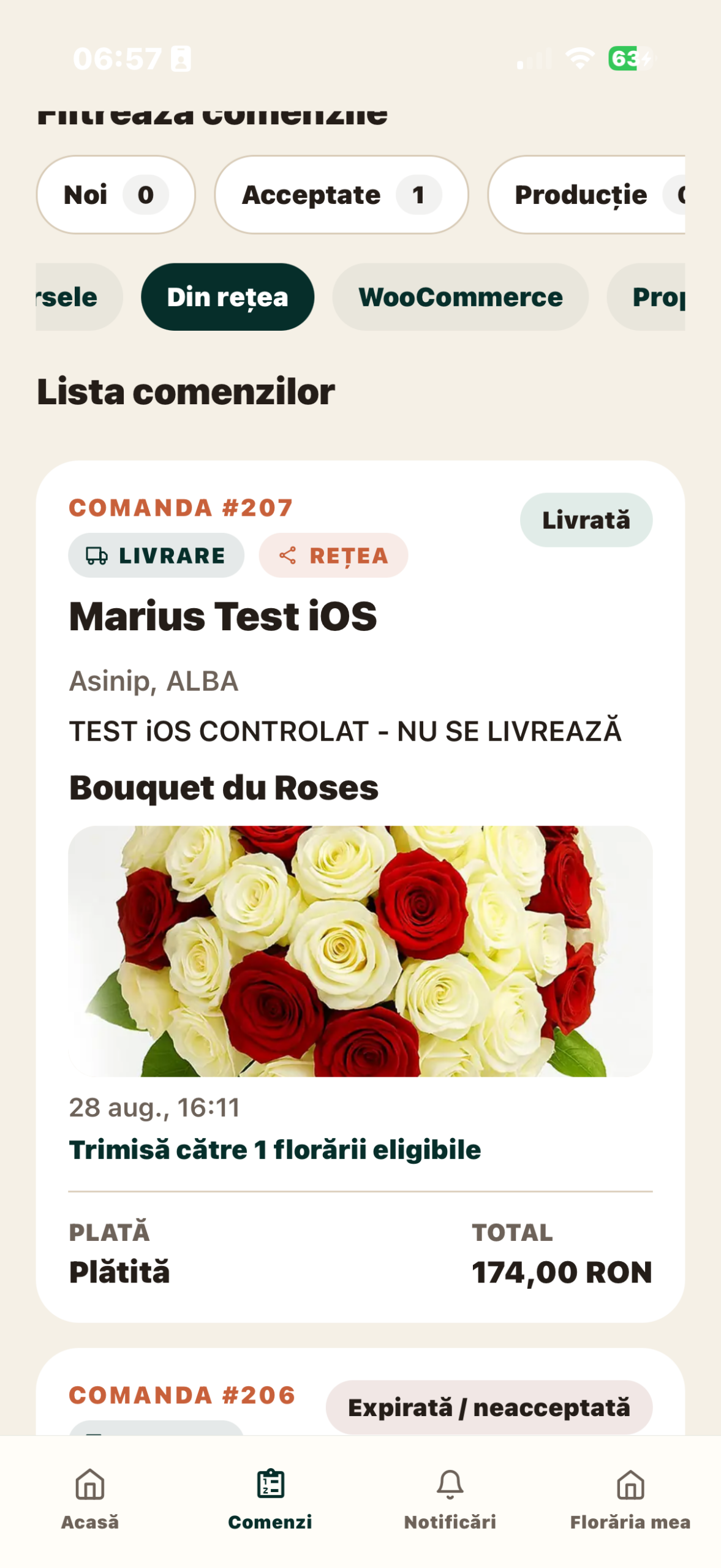
An accepted order, a product bouquet and a confirmed payment are different things. If the team uses one “ready” sign for all, there are interpretations. In ProFlorist, the order list is organized in stages and the order detail keeps separate information about payment and execution.
For the flows in which it is available, the payment link has its own condition. Sending the payment application does not mean that the money has been collected. Check separately the shares offered for each control source available to the account.
The useful test is to open an order and be able to respond without interpretation: has been accepted, is paid, who is working on it and what is the next available action? For delimitation of financial documents, read difference between billing, management and flower management.
4. How does an order move from the administrator to the florist?
It is not enough for two people to see the same list. The workshop needs a manager, product information and a clear way to show that the work has been completed. Check if each person finds the information he needs in his role.
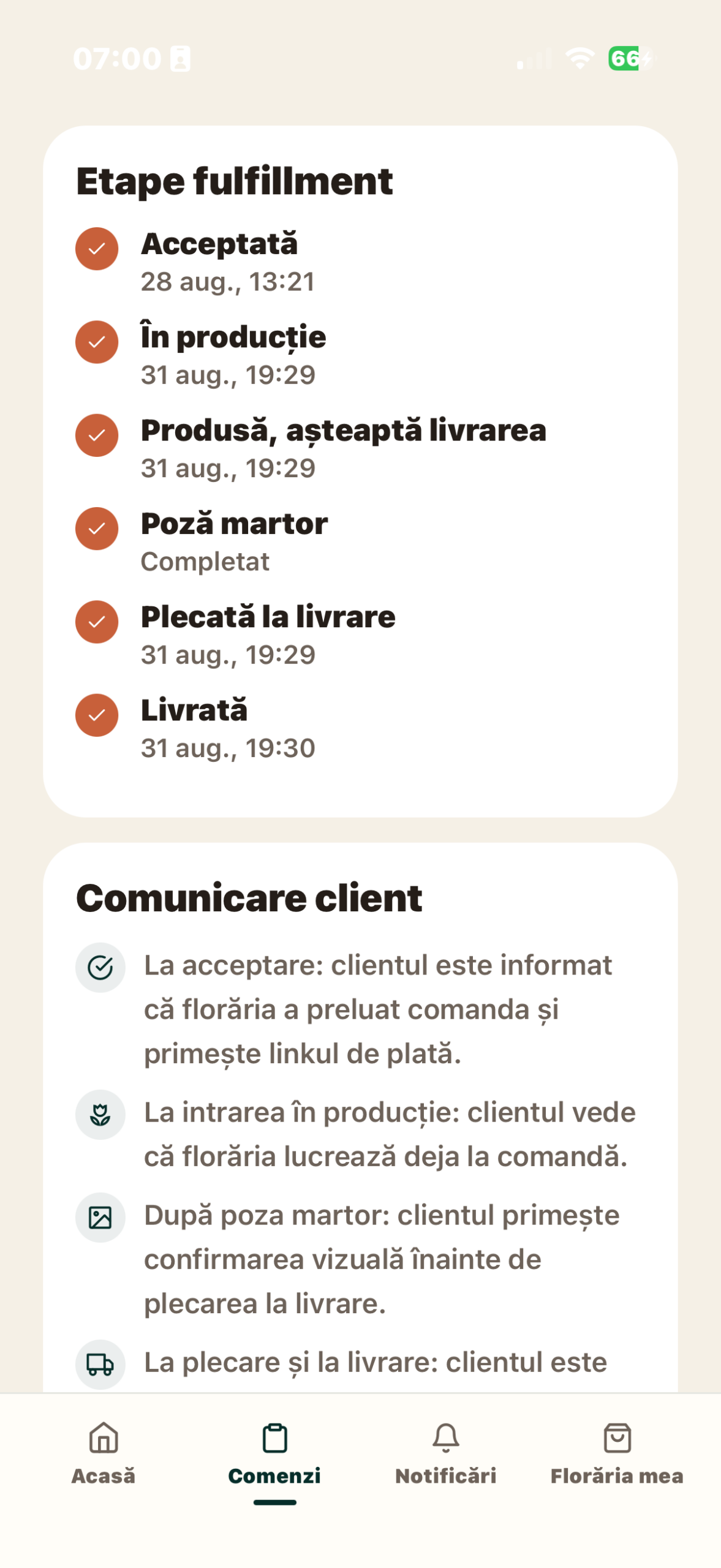
ProFlorist describes a dedicated production module with works, pregnancy claim, recipes, notes and photography. It is included starting with Growth, according to subscription offer. Do not assume that all the functions of the workshop are included in the basic package just because all packages allow order management.
In the demonstration, follow the same command to the tail of the workshop. Identify the person responsible, the information available about the bouquet and the place where the blank photo is attached. The photograph of the product made has a different role than the catalogue image: one presents the offer, the other documents the execution of a specific order.
5. How do I check availability before I promise a bouquet?
The availability of a floral product depends on the necessary ingredients, quantities and working capacity. A beautiful photo in the catalog does not confirm that the bouquet can be made today.
In ProFlorist, the catalogue and operational availability are related to products, variants and ingredients. For evaluation, choose a bouquet that you sell frequently and check the recipe, variant and condition of ingredients. Ask also who updates the information at the beginning of the day or after a change of stock. The description of these functions is found in Catalogue and Availability Section.
If you already have a management programme, it demonstrates the exchange of information between the two systems. The availability for the workshop and the documentary management of the goods have different purposes. The presence of a stock screen alone does not prove that all documents and operations in the existing system have been replaced.
6. What happens after the bouquet is ready?
Check both options: pick up from the flower shop and deliver. For lifting, the team must distinguish between prepared product and delivered product. For delivery, the consignee, address, instructions and person carrying the bouquet shall be relevant.
ProFlorist includes the configuration of the delivery area and flows to assign and track deliveries, depending on the account. In subscriptions, the radius included describes package coverage; the transport charge charged to the customer is a distinct component. A larger radius does not prove that the workshop can deliver within any chosen range.
In the demonstration, ask to see also an exception: unavailable recipient or insufficient information. Clarify where the problem is recorded and who is following it. Avoid evaluating the app only by the route in which everything goes perfectly.
7. What costs and conditions do you choose?
Compare the packages by the activity they support. In the ProFlorist offer, AI Workshop starts with Local, production with Growth, and WooCommerce and contractual network collaboration functions with Regional. The equipment and extension NEXUS Retail are presented separately. The price and eligibility for the Founder tariff should be read from the current offer, not from an item saved months ago.
For the budget, separate subscription, equipment, third-party services and initial configuration time. Check also the conditions for changing the package, access to data and support route. If the system you’re using today is a table, Comparison between Excel and a florist programme helps you estimate administrative time.
Checklist for the end of the demonstration
- I know what command sources are now available and what functions are to be launched.
- I can identify the product, the recipient, the message and the surrender mode.
- I understand separately the status of the order, the payment and the invoice.
- I know how the work gets to the team and what package includes production.
- I checked the availability of a product that I actually sell.
- I know what app each role uses and what I can do from the browser.
- I have an offer with the relevant functions, costs and activation conditions.
Continue with phone and computer checksthen calls for a ProFlorist demonstration on these two representative orders. The goal is to be able to track work from takeover to surrender, with all clear responsibilities.
Articles of the same guide
- Excel or florist program? How to compare organisation, costs and limits
- Billing, management or management program of the flower shop: what everyone does
- What do you check for a florist program if you work on your phone and computer?
Sources and availability
ProFlorist documentation consulted on 9 September 2026: Business Functions and subscriptions and extensions. Functions are activated according to package, country, integration and configuration. On this date, the website displays Beta status and commercial launch on 26 October 2026; the network does not yet honor public orders. Demonstration allows the evaluation of the flows available to the account.
Related articles
More ideas from the same area

Business & Management / Florists & Stories
How to calculate the real margin on a flower bouquet
A practical method for calculating contribution margin from net revenue and the variable costs…

Business & Management / Florists & Stories
What commercial markup should I apply to flowers?
There is no universal commercial markup that is "correct" for all florists. A multiplier…

Business & Management / Events & Community / Florists & Stories / Marketing & Sales / Supply & Flower Industry
ProFlorist’s Bucharest florist meeting on 3 July 2026: event archive
Archive note: this meeting took place in Bucharest on 3 July 2026. The article…